Modem Meta Tool is a mobile servicing and repairing tool. It is mainly used to fix modem and network-related problems on MTK-based Android mobile. ModemMeta Tool is commonly used for IMEI-related services, network and modem settings, and diagnostic work. It is mostly used by mobile technicians.
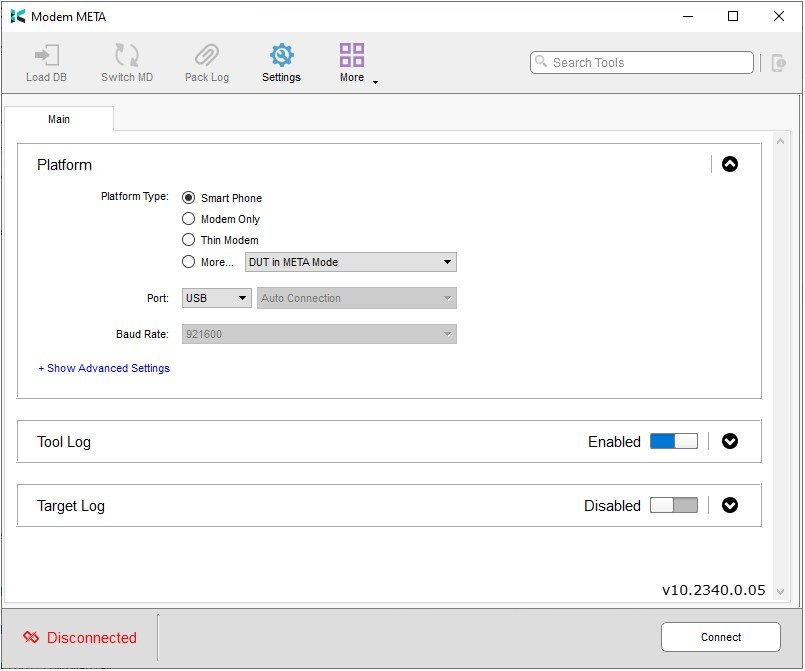
| Tool Name | Modem Meta Tool |
| Version | v10.2340.0.05 |
| Size | 140MB |
| Operating System | Compatible Windows |
Information about Modem Meta Tool
Modem Meta Tool is a type of mobile servicing and diagnostic software designed primarily for MediaTek-based mobile devices. In Android phones, the modem plays a crucial role in cellular communication. Tools like ModemMeta Tool are used when modem-related information needs to be checked, diagnosed, or repaired on a mobile device; certain issues can be resolved using this tool.
It is primarily used for checking information and diagnostics. This is not a standard, everyday tool; it is highly technical in nature. Using the Modem Meta Tool on Windows requires a significant level of technical knowledge.
Purpose of Modem Meta Tool
The tool was designed to support diagnostic and servicing tasks related to a device’s modem/communication subsystem. It is mainly used to address the following issues:
- Modem diagnostics
- Device communication
- No-network troubleshooting
- Network-related troubleshooting
- Meta Mode communication
- Device information checking
- Service-level configuration
- Factory/service testing
- Calibration-related operations
One important thing to keep in mind is that not every network problem can be solved using this tool. Many issues are related to hardware, such as a faulty network IC or a damaged antenna. These are hardware problems and need to be checked and repaired separately.
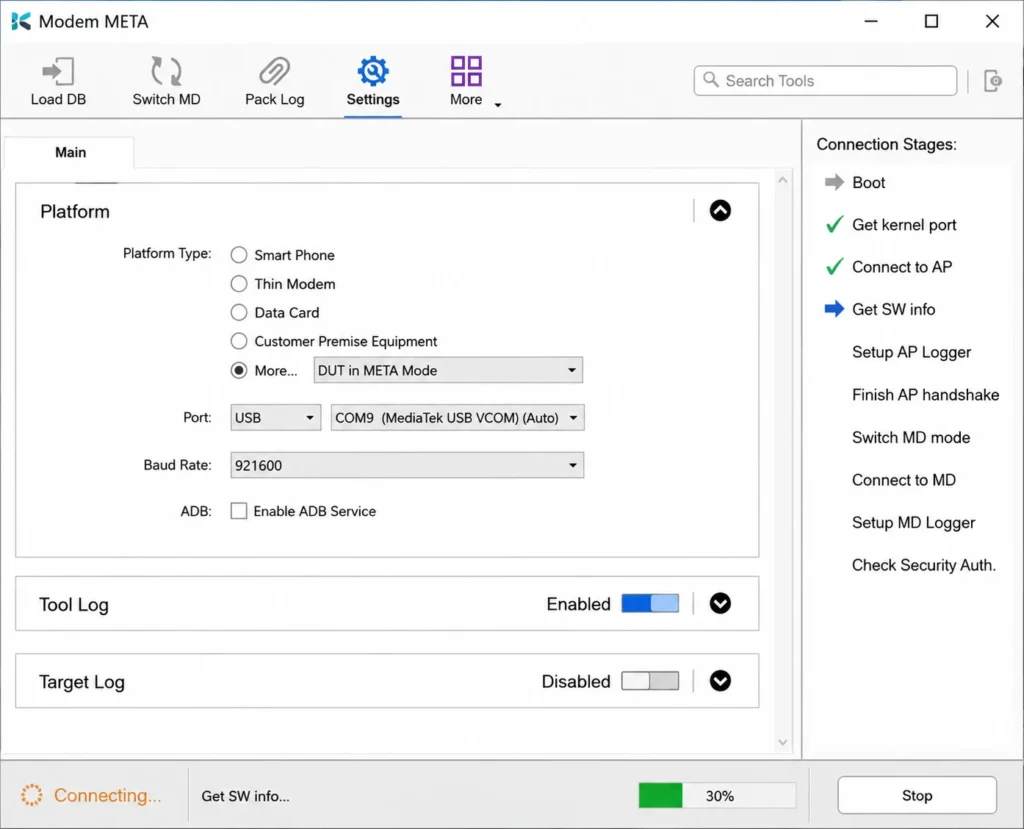
Can new users use the Modem Meta Tool?
If you are an Android user and wish to repair your mobile using this tool, it is crucial to keep a few things in mind. Issues related to the modem, network, and radio functions cannot be treated like ordinary problems; a single mistake could exacerbate the issues with your device. It is essential to have proper knowledge before using the Modem Meta Tool.
If your goal is to learn mobile repair, it is vital to understand the subject thoroughly first. Seeking the assistance of a professional repair technician would be the better option.
Minimum System Requirements
Details regarding the minimum system requirements for your Windows PC to install the Modem Meta Tool setup are provided below:
| Operating System | Windows PC/Laptop |
| Storage | 2GB |
| RAM | 4GB |
| USB Cable | OG USB Cable |
Mobile Brands Supported by Modem Meta Tool
Listed below are some of the mobile brands officially supported by this tool. This list may expand; we have included some of the key brands.
| Mobile Brand | MediaTek Phones | Modem Meta Support |
|---|---|---|
| Xiaomi | Yes | Supported MTK Models |
| Redmi | Yes | Supported MTK Models |
| POCO | Some Models | Depends on Model/Chipset |
| Realme | Yes | Supported MTK Models |
| OPPO | Yes | Supported MTK Models |
| Vivo | Yes | Supported MTK Models |
| Infinix | Yes | Supported MTK Models |
| Tecno | Yes | Supported MTK Models |
| Itel | Some Models | Depends on Model/Chipset |
| Motorola | Some Models | Supported MTK Models |
| Nokia | Some Models | Supported MTK Models |
| Huawei | Some Models | Depends on Model/Chipset |
| Lenovo | Some Models | Supported MTK Models |
| Micromax | Some Models | Older MTK Models |
| Coolpad | Some Models | Older MTK Models |
| Doogee | Some Models | MTK Models |
| Elephone | Some Models | MTK Models |
| Honor | Some Models | Depends on Model/Chipset |
| OnePlus | Some Models | Depends on Model/Chipset |
| Lava | Some Models | Depends on Model/Chipset |
Is Modem Meta Tool safe?
It is crucial to keep certain things in mind before downloading any software. If you wish to download the Modem Meta Tool setup, please follow the safety practices outlined below:
- Download the software from a trusted source.
- It is essential to scan the EXE file with antivirus software, as issues often arise with files in this format.
- Avoid using unknown patches or cracks.
- Most importantly, keep a backup of your data.
- Do not modify unknown settings.
Please note that all files and tools provided here are sourced from official platforms. Nevertheless, for your own safety, always remain cautious and use antivirus software.